On this page
Support this blog
If you find this content useful, consider supporting the blog.

Introduction#
Easy method to report spam to SpamCop.net using GMail, this helps to reduce the true Spam from unknown sources, since for some reason I started to get like 40 emails per day (all went to spam), but it is still somewhat annoying, so I started reporting it to spamcop, this alternative method doesn't need a script and it's really easy to do as well, same result as with the script from the previous post.
Pre-requisites:
- GMail account
- Setup a spamcop account which you will be using to send your reports, you can do that here
Forwarding as attachment#
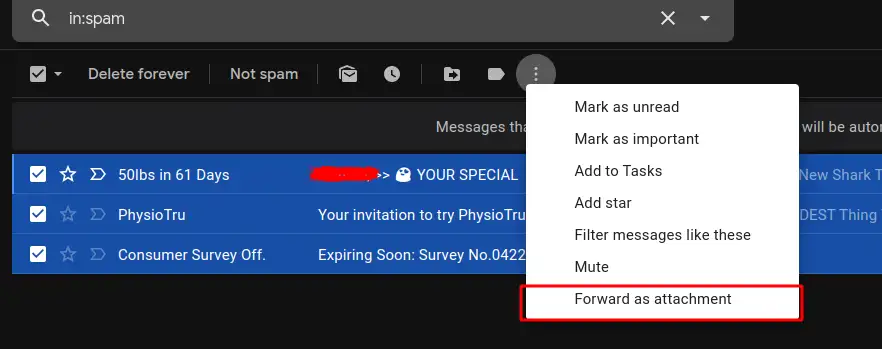
First of all you need to select all emails and then click on the three dots and select "Forward as attachment"
Sending it to your spamcop email#
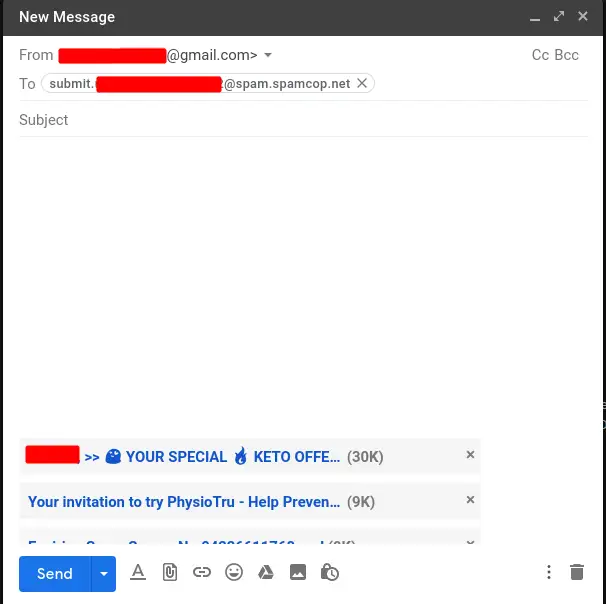
In this step the only thing that you need to do is put your Spamcop email (it gives you this address to report spam when you create the account and in the report spam tab), you do not need to put anything in the body or the subject, just send it as is.
Confirming each one#
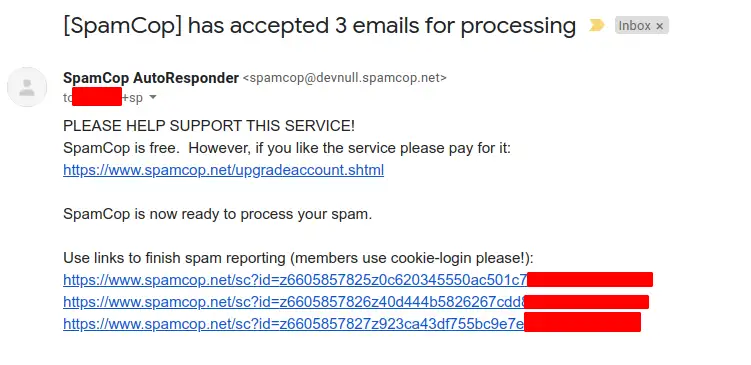
Then you will get an email with a link to each spam message to submit the report.
Sending the reports#
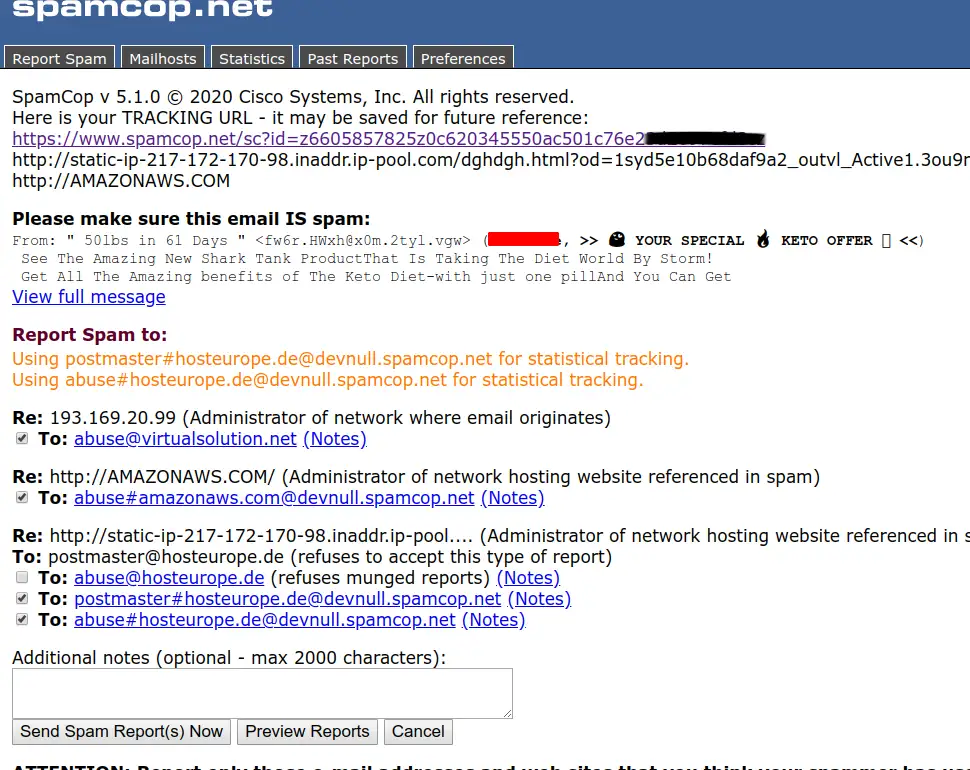
This is a sample report, you can add additional notes if needed and then confirm to send it to the abuse addresses of the owners of the IPs and links found in the email.
Additional notes#
This method is pretty easy for someone who doesn't want to run a script or whatever and is still able to report the spam to the sources, however if you want something a bit less manual you can try with the script or just create a filter to delete everything in the spam folder.
Errata#
If you spot any error or have any suggestion, please send me a message so it gets fixed.
Also, you can check the source code and changes in the generated code and the sources here
$ Comments
Online: 0Please sign in to be able to write comments.